Play now
Open this site's credited Scratch remake in your Mac browser. You need internet access, and the game may differ from the Windows release. See the tested steps.
MAC / PICK THE RIGHT ROUTE
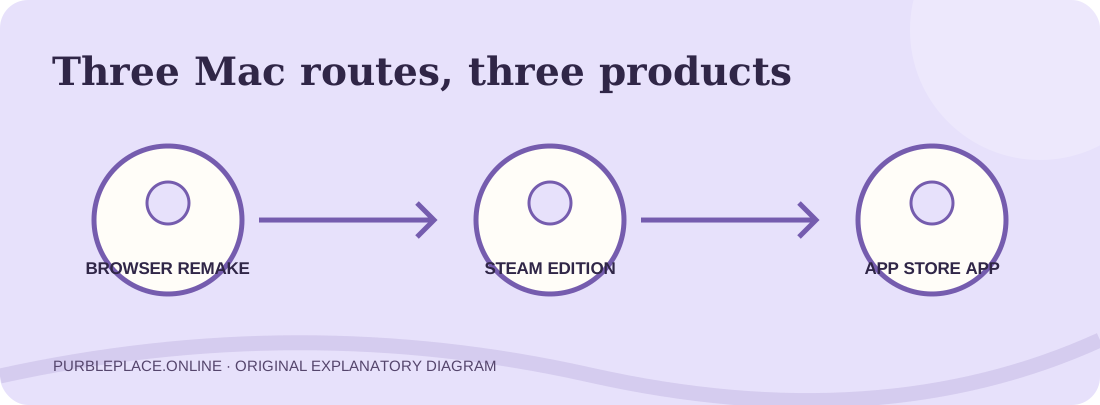
Want to play Purble Place Mac games? A browser remake, a Steam release, an iPad app available on some Macs, and an Android app run through an emulator are four different products. Start with the route that matches your Mac and the game you remember. This guide names the publisher and limits of each one before you install or pay.
Checked September 30, 2026. This is an independent fan site, not Microsoft or any app publisher. The illustration is conceptual, not a screenshot of the products.
01 / SHORT ANSWER
A Purble Place Mac search usually hides more than one task. If you want to play immediately, the browser route below has no app installation. If you want an app, compare the store record and Mac requirements first. If you want Microsoft's old Windows program, a modern game with a similar name is not the same file. These distinctions save you from taking an installation route that cannot provide your intended version.
Open this site's credited Scratch remake in your Mac browser. You need internet access, and the game may differ from the Windows release. See the tested steps.
Compare the Steam and App Store records. They have different developers and compatibility statements. Check the store again before buying.
The familiar Microsoft collection was bundled with Windows Vista and 7. Read the original-version evidence before trusting a purported Mac copy.
For Purble Place Mac visitors, the fastest reliable first step is to decide whether “play” or “download” matters more. Browser play lets you test the puzzle idea without choosing a seller. A native Mac store product is a different purchase decision. An Android emulator adds another layer of software and runs an Android application, not the historical Windows title.
02 / NO INSTALL
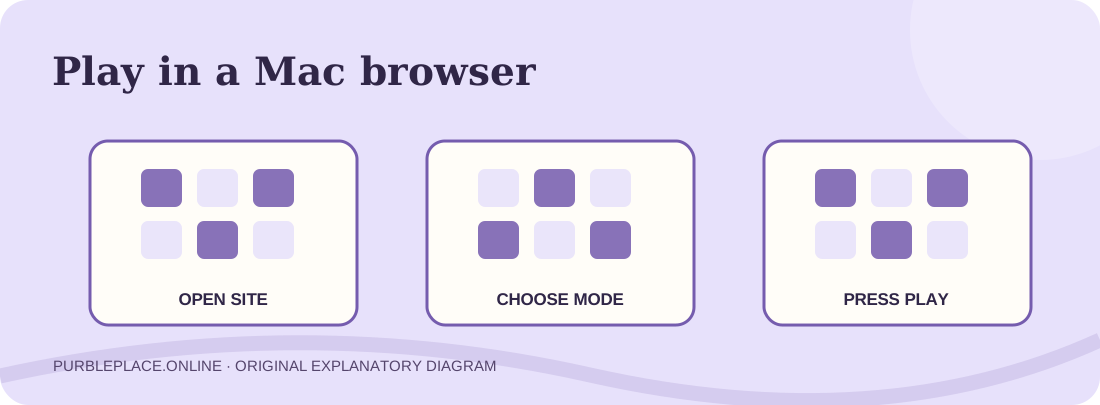
For Purble Place Mac play without an installer, open the homepage game selector, choose Full town, Comfy Cakes or Purble Pairs, and press Play. The page then loads a community Scratch project in a TurboWarp frame. Its creator is credited beside the player, with a source link and a new-tab fallback. You are opening a remake over the internet; this action does not install a Windows program on macOS.
We tested the path on a Mac browser on September 30: the homepage loaded, Purble Pairs was selected, and the embedded project reached its difficulty choice after its green flag was pressed. That confirms the route to the menu on this machine. We did not finish a complete round during this check, so do not read it as a guarantee of every mode or future external availability.
To repeat the test, select the focused Purble Pairs page if you want cards, or the Comfy Cakes page for the bakery. If the frame remains blank, use the source or new-tab link beneath it. Fullscreen can make the board easier to see on a MacBook Air. The separate Purble Shop project still lacks a verified complete round, so its page is clearly marked as limited.
03 / TWO DIFFERENT STORES
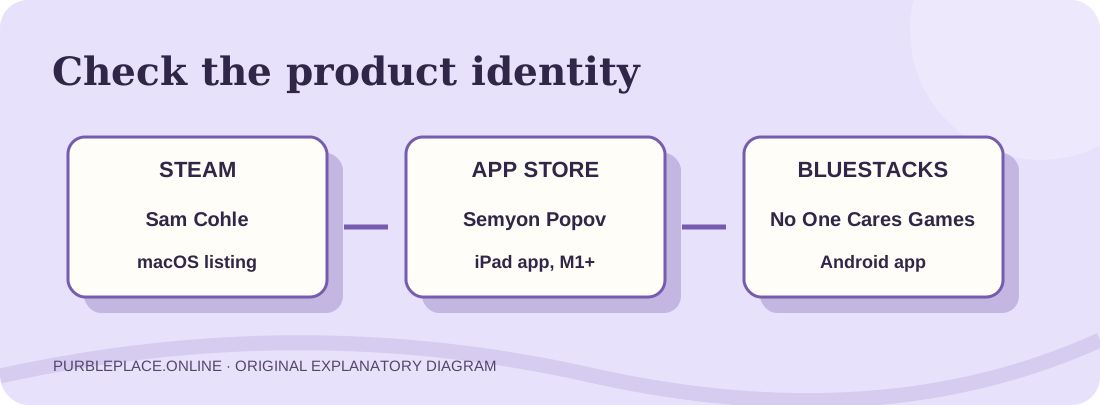
The Steam product “Purple Place - Classic Games” names Sam Cohle as developer and publisher and advertises Cake Master, Memory Match and Fashion Frenzy. Its store page lists macOS support with its own minimum requirements. It is a modern release with a different title and publisher from the Microsoft-era Purble Place. For a Purble Place Mac purchase through Steam, read the current macOS requirements, language and user reviews on Steam itself; price and support can change.
The Apple App Store product with a similar name lists Semyon Popov as developer. Apple describes it as designed for iPad and “not verified for macOS,” while its compatibility field says macOS 11 or later on an Apple M1 Mac or newer. Those two statements are important together: compatibility listing is not a promise that its controls and behavior were tested for a Mac. This is also not Sam Cohle's Steam item.
Both store descriptions mention three puzzle styles, but the categories alone do not prove that the rules or difficulty match the old Windows games. We have not purchased or installed either product. If the store page changes, use its current listing over a stale search snippet. Our guide links to the providers instead of mirroring their applications or asserting a download is safe from a familiar name. For more on the released Steam game and the separate planned 3D listing, read the Steam comparison and 3D project guide.
04 / YOUR MAC MATTERS
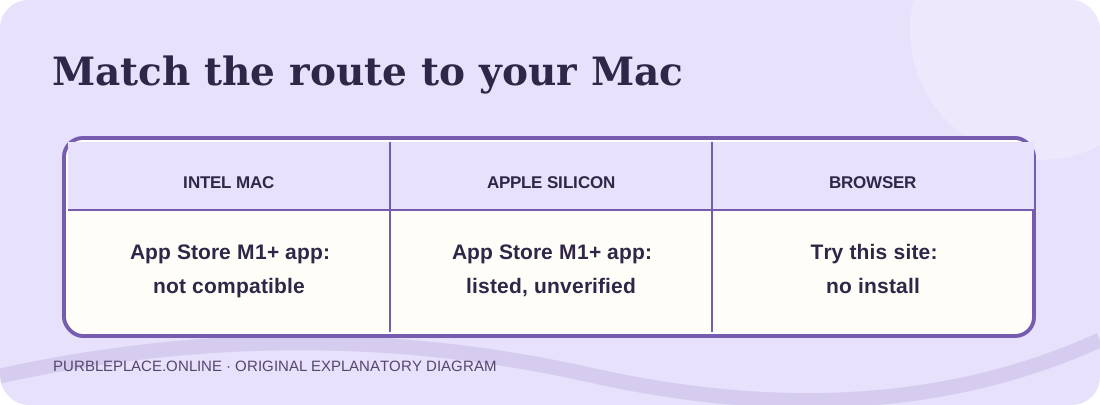
For Purble Place Mac app choices, a MacBook Air can be an Intel model or an Apple Silicon model. Use the Apple menu's “About This Mac” screen to read the chip or processor and macOS version before choosing a store route. An Apple M1 or later chip satisfies the processor part of the App Store listing above, provided the Mac also meets its macOS 11 requirement. An Intel Mac does not meet that particular Apple listing. The listing still says the app has not been verified for macOS.
The Purble Place Mac Steam listing publishes a separate macOS requirement and describes support for Apple Silicon and x64 hardware; check its live system-requirements section against your machine. A product being listed for macOS is more useful than a search snippet, but it does not replace hands-on compatibility testing. We did not install the Steam product on either class of Mac.
For Purble Place Mac browser play, the decision is simpler: use a current browser with internet access and try the credited project before considering another download. We verified access on the Mac used for this site check, not every model or macOS release. On a small MacBook display, fullscreen and a focused game page can help you see the controls without adding software.
05 / AN EMULATOR IS ANOTHER PRODUCT
The BlueStacks Purble Place Mac page offers to run an Android application on a computer. It identifies that app as “Purble Place (original)” by No One Cares Games and describes cake baking and card matching as its two available mini-games. “Original” is part of the Android app's title, not evidence that the emulator contains Microsoft's old Windows program.
This Purble Place Mac path requires installing the emulator, then locating that Android app; BlueStacks publishes its own current Mac requirements and sign-in steps. We have not installed the emulator or the app, so we cannot confirm actual Mac performance, touch mapping or a finished round. If you specifically want Purble Shop, the two-mode description is a reason to choose another route or verify a newer listing before investing time.
For a Purble Place Mac search, BlueStacks may be relevant when you already want the named Android adaptation and accept an emulator. It adds complexity if all you wanted was a quick look at a browser remake. Our Android comparison explains the developer and package distinctions in more detail.
06 / THE WINDOWS ORIGINAL
A Purble Place Mac search can lead back to the historical collection, which was part of Windows, rather than a native Mac release. Microsoft's Vista announcement names Purble Place among included games, and a Microsoft-hosted Windows 7 chapter lists it among preinstalled games. These sources establish the Windows background; they do not certify a present-day Mac installer or any unrelated store remake.
We have not found and authenticated an official standalone Purble Place Mac package from Microsoft. A third-party page saying “Mac download” may offer a modern recreation, an emulator path, or a file of uncertain provenance. The Softonic result ranking for this query, for example, describes Sam Cohle's modern recreation in its article while its specification area names a different developer. That internal conflict is a reason to verify the product on the provider's own page, not to assume a result is the original.
07 / COMMON QUESTIONS
These Purble Place Mac answers summarize the routes above. Open the linked provider for the latest compatibility and price before making a purchase or installation decision.
Yes. For Purble Place Mac play, you can try this site's credited browser remake. Our Mac check reached the Pairs difficulty menu. The project comes from an external Scratch creator and is not the historical Microsoft program; a full round was not verified in this check.
We have not authenticated a Microsoft standalone Mac release. Microsoft's cited materials identify Purble Place as part of older Windows systems. Similar names on Steam and the App Store belong to other developers.
The current Apple listing requires an M1 Mac or later and macOS 11 or later, and says the iPad-designed app is not verified for macOS. An Intel Mac does not meet the listed chip requirement.
No. The Steam “Purple Place - Classic Games” page names Sam Cohle; Apple's similarly named app names Semyon Popov. Compare each provider's current description and requirements before choosing one.
No. The linked BlueStacks page says it runs a No One Cares Games Android app, currently described there as having cake and card modes. We did not install or test it on a Mac.
For Purble Place Mac play right away, use the browser route. For an app, first check “About This Mac” for your chip and macOS version, then compare the live Steam and App Store records. If you need the historical Windows software, read the source evidence before downloading anything.